
Mafia III, PC download, free version game, free pc game, for PC
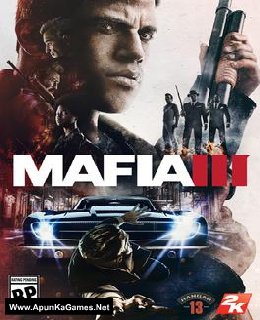
Before downloading make sure that your PC meets minimum system requirements.
Minimum System Requirements
- OS: Windows 7/Vista/8 (64-bit)
- Processor: Intel I5-2500K, AMD FX-8120
- RAM: 6 GB
- Hard Drive: 50 GB available space
- Video Card: 2GB, NVIDIA GeForce GTX 660, AMD Radeon HD7870
- DirectX: 11
Screenshots
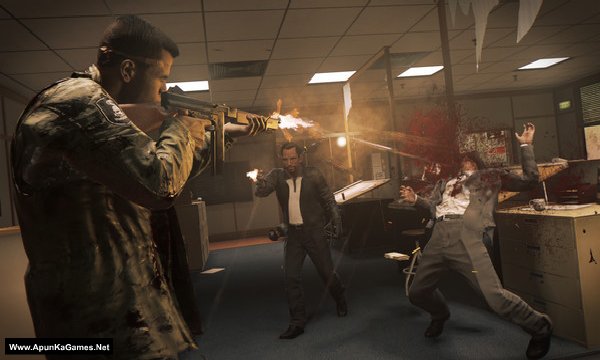
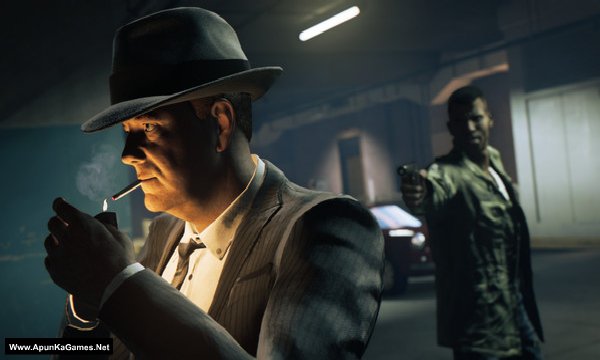
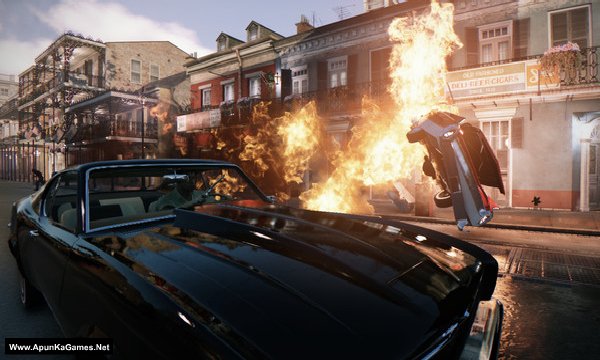
How to Install?
- Extract the file using Winrar. (Download Winrar)
- Open “Mafia 3” folder, double click on “Setup” and install it.
- After installation complete, go to the folder where you install the game.
- Open folder, double click on “mafia3” icon to play the game. Done!
How to Download?
If your don’t know how to Download this game, just Click Here!
If your don’t know how to Download this game, just Click Here!
Game Size: 18.6 GB
Password: www.apunkagames.net or apunkagames
HAVE A PROBLEM TO DOWNLOAD THE LAST PART (PART 22)
PLEASE -LET ME KNOW. MAYBE YOU CAN EMAIL DIRECTLY TO [email protected]
hope to hearing from you soonest
THANK YOU
Downloaded all 5 parts only one unzips. What’s the step by step installation process of single files
After installation it’s showing ” MSVCP140.dll not found”
install microsoft visual c++ all versions
When launcing tge game it shows “dynamic library steam_api_ext64.dll failed to load”. Please suggest a solution for this.
disable antivirus and install again. add the game to antivirus exclusion list.
Hi, I am glad you are making huge effort for gamers. I have just downloaded game and now it is not even starting. Startup crash! I have downloaded mafia 2 from your site and completed it smoothly. I am using core-i5 windows 10 updated driver-11. Why it is not starting?
i have facing the problem fatal error the dyanamic library “steam_api_ext64” failed to load please give solution for this help as you can soon as possible
antivirus deleting the crack. disable antivirus and install again.
fatal error the dyanamic library “steam_api_ext64” failed to load ….. Again I’m installed game with disabled anti virus. Game is worked….. 2days later again that problem is come… Plzz give solution
add the game to antivirus exclusion list.
After the installation or before the installation
sir plz upload game the last of us
Are DLCs included?
no
Error 0×c000007b
?
What should i do now ?
https://www.youtube.com/watch?v=-SyCEc4J1bQ
admins pls fix this site can’t reached i just wanna finish the parts
it’s really annoying
pls reply
Bro how to fix mafia 3 fatal error
disable antivirus and install again.
please there is a problem with the website network , is preventing us from downloading again
kindly fix it
it will be fixed soon
Mafia 3 3.9 gb game file can’t being downloaded from fileloker site so please check the problem
will be fixed in an hour.
please solve the problem for mafia 3 3.9 gb game file .the file can’t being download from https://thefileslocker.net/mhdwz3zwj74x.html.please check
Hi bro mafia 3 working but i have gtx 710 i5 4th gen 8gb ram but game getting very slow and lag what the problem
Hi bro mafia 3 working but i have gtx 710 i5 4th gen 8gb ram but game getting very slow and lag what the problem even i play game 1280×720 every settings is low please give me solution
Hi bro mafia 3 working but i have gtx 710 i5 4th gen 8gb ram but game getting very slow and lag what the problem even i play game 1280×720 every settings is low please give me solution i want to play lagg free
i’m facing a error when i try to installed the game it shows “injecting code in process was not found”and”unarc.dll returned an error code 1 please reply me what should i do
https://www.youtube.com/watch?v=FrWgMshR4i4
Its not working sir please help me
When launcing tge game it shows “dynamic library steam_api_ext64.dll failed to load”. I reinstall game after disabling anti-virus and I add folder into exclusions of antivirus it was again show this error please suggest any solutions
disable antivirus and install again.
It doesn’t works
Its not working sir please help me
bro part 5 and 6 they cant be downloaded can you fix it
Wait for 1st parts to finish then click on 2nd download. All links are fine just download one by one. cancel all the active downloads in IDM and then click Part 5 or 6 etc… it will download 100%. TheFileLocker server doesn’t support multiple downloads, so some links may not show. If you try downloading several parts at once, the others may fail due to the download limit.
Also, try downloading when website traffic is low—you’ll get better speed, like in the morning or afternoon. 🎮
I have downloaded the 900MB parts and when I extract them after like 10% extraction it gives me error and says “checksum error” And also shows that part 3,5 and 17 are corrupted….. Even I re download them but still the same issue….. Plz respond
Please make sure all 900MB parts are fully downloaded and placed in the same folder. Since Parts 3, 5, and 17 are showing as corrupted, delete those parts and download them again from the beginning—don’t resume them. Then extract Part 1 only. If the error still appears, send us a screenshot of the WinRAR error. 👍
Brother it’s stuck on 92.8 %
I5 8th gen 16gb ddr4 ram Nvme ssd
Direct x,run times, installed
Also windows defender is off
Is there any way to fix it
Brother Your specs (i5 8th Gen, 16 GB RAM, NVMe SSD) are more than enough for the installation, so the 92.8% Unarc.dll -7 error is more likely related to the archive/data or the decompression process, not your RAM. Well try this and then install. Turn off Anti-Virus + Windows defender before installation. Also Download ISDone_x86 , unarc_x86 (DLL) and extract it. Then Copy and paste the “ISDone_x86” and “unarc_x86” files into both of these folders:
C:\Windows\System32
C:\Windows\SysWOW64
and then install.
*MAFIA III*
Unpacking archives… *92.8%*
[ ] Shutdown PC after installation
*ISDone.dll*
> An error occurred while unpacking: archive corrupted!
> http://Unarc.dll returned an error code: -7
> ERROR: archive data corrupted (decompression fails)
[Exit]
*[OK]*
Bro this is the problem
Brother Unarc.dll error -7 usually means the archive data could not be decompressed properly. First make sure all the game files have been downloaded completely and without errors. Check Windows Security/antivirus to make sure it hasn’t quarantined or blocked any game files, and create an exception for the game folder if needed. Also make sure you have enough free space and try installing/extracting to a different drive if possible.
We’ll also check the old setup from our side and update you by tomorrow. In the meantime, on TheFilesLocker, we’ve updated the game with the official GOG setup: Mafia III + DLCs (GOG) Setup, around 50.8 GB. The old setup is a repack, which can sometimes cause extraction errors, especially on systems with lower available resources. The new GOG setup is the complete package. 👍
Svp après que j’ai installé le jeu ça ne vient pas
Comment faire pour que ça vient
Brother, temporarily turn off your antivirus, download all the parts, and put them into one new folder. Then extract Part 1 only. All the other parts will be extracted automatically, and the setup will appear. 🎮
We checked the game again, and this setup is 100% working. Please follow the instructions step by step. Before extracting and installing the game, temporarily disable your antivirus, as it may block or quarantine required DLL files.
Download all parts and paste them into one new folder.
01. Extract the file using Winrar part 1 and automatically all parts will extracted.
02. Open “Mafia 3” folder, double click on “Setup” and install it.
03. After installation complete, go to the folder where you install the game.
04. Then launch the game from the desktop “Game” icon or in-game “launcher.exe” to play the game. Done!
Note: This setup has been tested on Windows 10. Also, make sure the latest Microsoft Visual C++ Redistributable packages are installed. It’s RG Mechanics RePack and works 100%.