
James Bond 007: Blood Stone, for PC, download for pc, free version game, free pc game
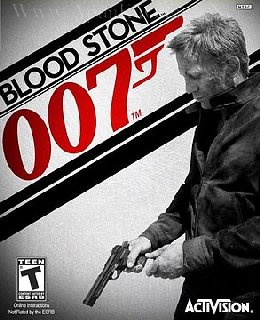
Before downloading make sure that your PC meets minimum system requirements.
Minimum System Requirements
- OS: Windows XP/Vista/7
- Processor: Intel Core 2 Duo @ 1.8 Ghz / AMD Athlon 64 X2 3800+
- RAM: 1 GB
- Hard Drive: 12 GB free
- Video Memory: 256 MB
- Video Card: nVidia GeForce 7600 / ATI Radeon X1650
- Sound Card: DirectX Compatible
- Network: Broadband Internet Connection for Online Multiplayer
- DirectX: 9.0c
- Keyboard and Mouse
- DVD Rom Drive
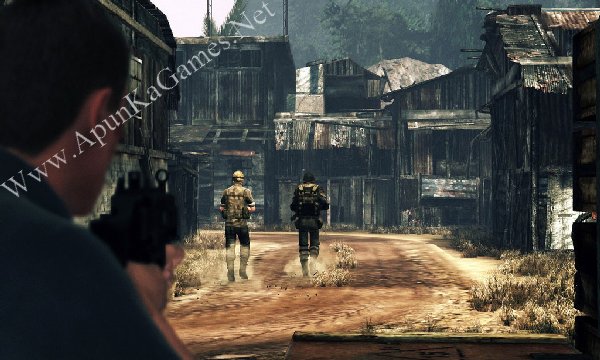
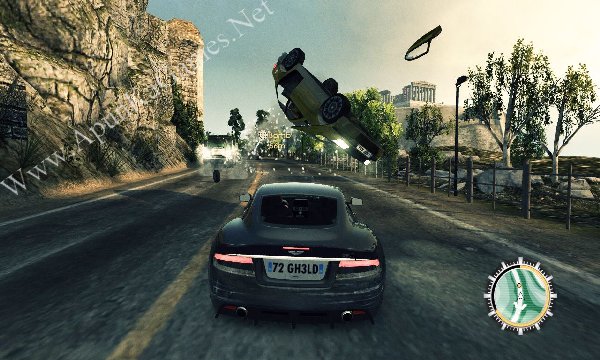
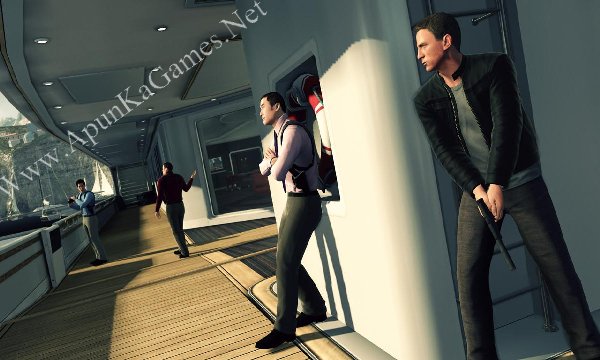
Screenshots
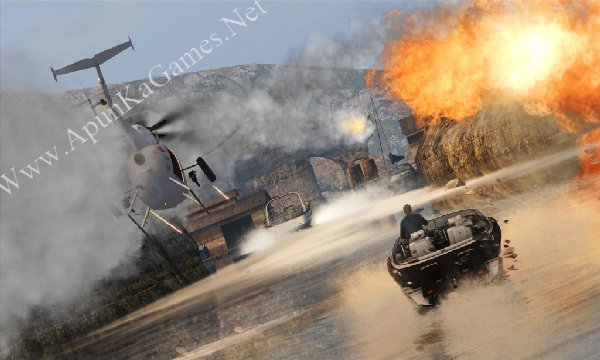
How to Install?
- Extract the file using Winrar. (Download Winrar)
- Open “JB 007 Blood Stone” folder, double click on “Setup” and install it.
- After installation complete, go to the folder where you extract the game.
- Open “Crack” folder, copy all files and paste it where you install the game.
- Then double click on “Bond” icon to play the game. Done!
How to Download?
If your don’t know how to Download this game, just Click Here!
Game Size: 5.28 GB
Password: www.apunkagames.net or apunkagames

sir plzzzzzzzzzzzzzzzzzzzzzzzzzzzzzzzzzzzzzzzzzzzzzzzzzzzzzzzzzzz
what
The game says “insert CD/DVD” how to fix it?
paste the crack
Thank You So Much……
It Completely Works!!!
The ‘insert CD/DVD’ problem can be fixed by copying the files in crack folder and pasting them in the folder where the game is installed as replied by @zeaa
sir plizzzzzzzz how to fix game crushung when opening it just black screen and crushes
after installation is finished did you put the game crack? or try to reinstall but first disable all antivirus + windows security and then extract and install the game… Follow these step!
01.Open “JB 007 Blood Stone” folder, double click on “Setup” and install it.
02.After installation complete, go to the folder where you extract the game.
03.Open “Crack” folder, copy all files and paste it where you install the game. (Note: you Must copy Crack file and replace or overwrite it where you install the game)
04.After crack, then double click on “Bond” icon to play the game. Done… it will work 100%!
Stuck on the first loading screen
100% working setup. Follow instruction Step by step:
01. Extract the file using Winrar. (Download Winrar)
02. Open “JB 007 Blood Stone” folder, double click on “Setup” and install it.
03. After installation complete, go to the folder where you extract the game.
04. Open “Crack” folder, copy all files and paste it where you install the game.
05. Then double click on “Bond.exe” icon to play the game. Done!
the situation changed now. I doiwnloaded and followed all the instructions above but the problem is when i double click on bond icon to play game, nothing is happening . when i checked the task manager, i found that the bond.exe file got loaded and then disappeared in 3 second from task manager. how to fix this ?
Bro, since Bond.exe appears in Task Manager for 2–3 seconds and then disappears, try these fixes:
Run Bond.exe as Administrator.
Right-click Bond.exe → Properties → Compatibility → try Windows 7 compatibility mode.
Make sure Data Execution Prevention (DEP) is set to the Windows default: “Turn on DEP for essential Windows programs and services only.” This is a documented Blood Stone launch/crash fix.
Install the game’s required DirectX 9.0c components. Blood Stone uses Direct3D 9.0c.
Repair/install the Microsoft Visual C++ Redistributables, then restart your PC.
Start the game and immediately open Task Manager → Details → Bond.exe → Set affinity. If the game stays running, try unchecking CPU 0. CPU-affinity problems are a known issue with Blood Stone on modern systems.
Also check Windows Security → Protection History to make sure Windows Defender hasn’t removed a game file.
In crack folder rld.dll is missing
Brother, please check your antivirus/Windows Security quarantine or protection history first. Sometimes rld.dll is removed automatically because it is detected as a potentially unwanted or suspicious file.
Please can you fix the part 1 download link
Brother, all 9 parts’ download links have been updated! You can download them now! 🎮
Stuck at the part 1 extracting, it asks me to insert a disk
Brother, did you download James Bond 007: Blood Stone in 600 MB parts? Before extracting, download all 9 parts and place them in the same folder. Then extract Part 1 only; the other parts will be extracted automatically, and it shouldn’t ask you to insert another disk. If you extract Part 1 before downloading the remaining parts, it will ask for Part 2. 🎮
I did everything it still didn’t work well for me
Brother, after installation is complete, did you copy and replace the files from the Crack folder in the game installation directory? Also, if you’re using Windows 11, try running the game in Compatibility Mode. Right-click the game’s .exe file → Properties → Compatibility → select Windows 8 → Apply, then launch the game again.
I have difficulties in using a game pad in playing the game. Can you help me with that. Most especially the tilting function
Of course, brother! James Bond 007: Blood Stone supports gamepads, but the tilt function may not work correctly with some modern controllers. Please let us know which controller you’re using (Xbox, PlayStation, or another gamepad). Also, tell us whether the other buttons work properly. We’ll guide you through setting up the controls, including the tilting function.
Having difficulties using the game pad for the game. Can you help me with that
Brother, sure! First, connect your gamepad before launching the game. If it’s not detected correctly, try using XOutput or x360ce to configure it as an Xbox 360 controller. Also, let us know which gamepad you’re using (PS4, PS5, Xbox, or a generic USB controller), and we’ll guide you with the correct settings.
I did copy the crack files to the installation folder but it does not lunch at all!
Brother, make sure you copied all the crack files into the correct game installation folder and allowed Windows to replace existing files if prompted. Also, check whether Windows Defender has quarantined any game files. If the game still doesn’t launch, please share your PC specifications and any error message you receive so we can help you troubleshoot.
it instantly exits itself during the game first proluge
Brother, try running the game in Windows 7 compatibility mode and select Run as Administrator. Also, update your graphics drivers and install DirectX and Microsoft Visual C++ Redistributables. If the game still closes during the first prologue, please share your PC specifications and let us know whether it exits without showing any error message. This will help us identify the issue.
After turning on antivirus the game does not work
Brother, antivirus software may sometimes quarantine or block game files, which can prevent the game from launching. For cracked games, create an antivirus exclusion folder first and install the game inside that folder so its files aren’t interrupted during installation. If you want to try this now, create the folder, add the game folder to the exclusion list, then reapply the crack and try launching the game again.