
Also known as: Metal Gear Solid V: Ground Zeroes (Video Game), MGS V: GZ PC Highly Compressed, Free
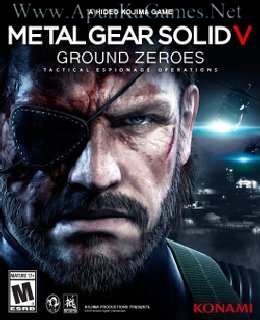
Metal Gear Solid 5: Ground Zeroes
Before downloading make sure that your PC meets minimum system requirements.
Minimum System Requirements
- OS: Windows Vista SP2 x64, Windows 7 x64, Windows 8 x64 (64-bit OS Required)
- Processor: Core i5 SandyBridge 4Core (4 Thread) 2.7GHz or above
- RAM: 4 GB
- Hard Drive: 4 GB free
- Video Card: GeForce GTX 650 or above
- Sound Card: DirectX Compatible
- DirectX: 11
- Keyboard and Mouse
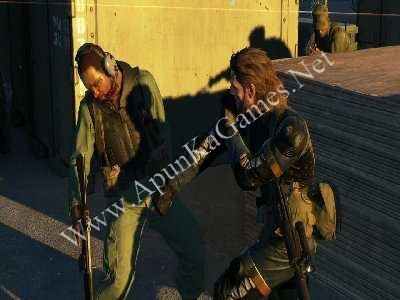
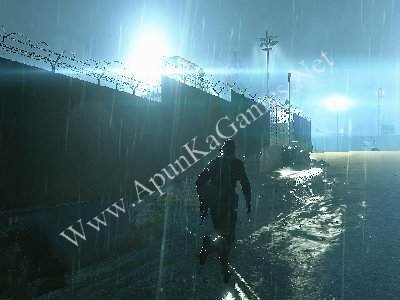
Screenshots

How to Download?
If your don’t know how to Download this game, just Click Here!
If your don’t know how to Download this game, just Click Here!
Metal Gear Solid V: Ground Zeroes Free Download
Click Here to Download This Game
Game Size: 2.98 GB
Password: www.apunkagames.net or apunkagames

when i open the game …nothing happens !!!!!!??????? what should i do ???
when i open the game …nothing happens !!!!!!??????? what should i do ???
The game doesn’t open
same
I Can’t Download The Game At All Please Fix This
Dear admin plz solve the issue game was doesn’t open what should i do …plz solve the issue …
Bro this game isn’t working
Tell me the issue bro.
It is working found a solution to it
No extra solution is needed. The game installed and ran without any errors on our end. Just make sure to install it correctly by following the steps we provided. That’s why we included those instructions. Also download and install the required Microsoft Visual C++ Redistributables. The game needs these runtime files to run properly and resolve missing DLL errors.
THE GAME DOSENT OPEN BRO
Game is working 100% fine i’ve already checked it just follow these steps:
1. Extract the file using Winrar. (Download Winrar)
2. Open “Metal Gear Solid V Ground Zeroes” folder, double click on “Setup” and install it.
3. After installation complete, go to the folder where you extract the game.
4. Open “CODEX” folder, copy all files and paste it where you install the game.
5. Then double click on “MgsGroundZeroes.exe” icon to play the game.Done!
not opening
Game is working 100% fine we have already checked it! just follow these steps: Before extracting and installing the game, temporarily disable your antivirus, as it may block or quarantine required DLL files.
1. Extract the file using Winrar. (Download Winrar)
2. Open “Metal Gear Solid V Ground Zeroes” folder, double click on “Setup” and install it.
3. After installation complete, go to the folder where you extract the game.
4. Open “CODEX” folder, copy all files and paste it where you install the game. (Click Replace)
5. Then double click on “MgsGroundZeroes.exe” to play the game.Done!
Note: This setup has been tested on Windows 10. Also, make sure the latest Microsoft Visual C++ Redistributable packages are installed.
Why is it always crash to desktop at certain moments/places( ex: looking at enemy’ lights, go to specific place, etc)? the game is working btw, but has problems, please give any solution…
My pc specs is not that bad, it can run mgsv tpp perfectly, but not mgsv gz in this case
Brother, try updating your graphics drivers and installing the latest DirectX and Visual C++ Redistributables. Also, verify that your antivirus hasn’t quarantined any game files. Try lowering the graphics settings and running the game as administrator. If it still crashes at the same places, please share your PC specs and let us know whether any error message appears so we can help you further.