

Jurassic World Evolution Game – Overview – Free Download – Compressed – PC – Specs – Free – Screenshots – Torrent/uTorrent
Type of game: Business simulation
PC Release Date: June 12, 2018
Developer/Publishers: Frontier Developments
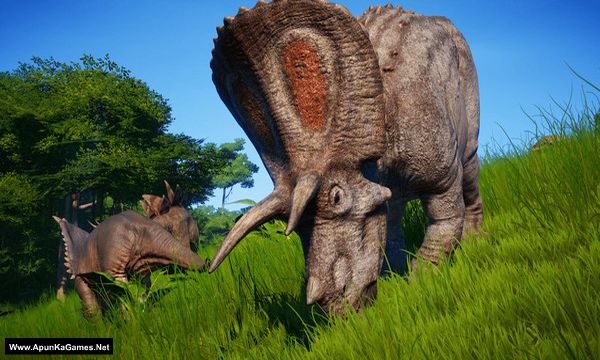
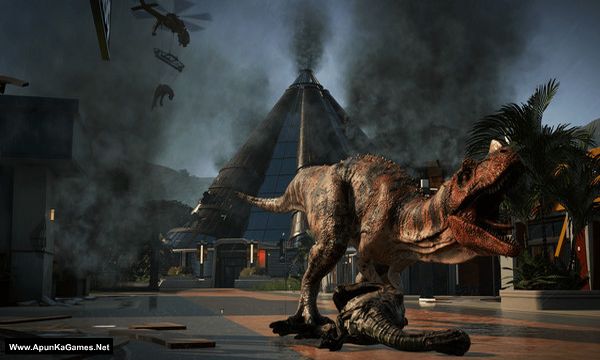
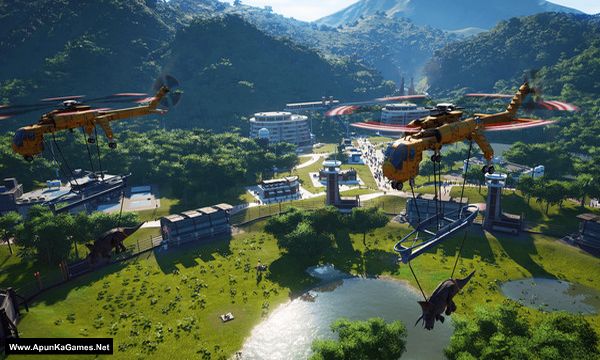
Jurassic World Evolution (4.66 GB) is a Business simulation video game. Developed and published by Frontier Developments. It was released on June 12, 2018. This is a business simulation game that allows the player to construct a Jurassic World dinosaur theme park with attractions and research facilities. Players must build an Expedition Center, which sends paleontologists to fossil dig sites so as to obtain dinosaurs DNA content.
Type of game: Business simulation
PC Release Date: June 12, 2018
Developer/Publishers: Frontier Developments
Jurassic World Evolution (4.66 GB) is a Business simulation video game. Developed and published by Frontier Developments. It was released on June 12, 2018. This is a business simulation game that allows the player to construct a Jurassic World dinosaur theme park with attractions and research facilities. Players must build an Expedition Center, which sends paleontologists to fossil dig sites so as to obtain dinosaurs DNA content.
Before downloading make sure that your PC meets minimum system requirements.
Minimum System Requirements
- OS: Windows 7 (SP1+)/8.1/10 64bit
- Processor: Intel i5-2300/AMD FX-4300
- RAM: 8 GB
- Hard Drive: 8 GB available space
- Video Card: NVIDIA GeForce GTX 1050 (Legacy GPU: GeForce GTX 660) / AMD Radeon 7850 (2GB)
- DirectX: Version 11
Screenshots
How to Install?
- Extract the file using Winrar. (Download Winrar)
- Open “Jurassic World Evolution” folder, double click on “Setup” and install it.
- After installation complete, go to the folder where you extract the game.
- Open “CODEX” folder, copy all files and paste it where you install the game.
- Then double click on “JWE” icon to play the game. Done!
How to Download?
If your don’t know how to Download this game, just Click Here!
If your don’t know how to Download this game, just Click Here!
Jurassic World Evolution Download
Game Size: 4.66 GB
Password: www.apunkagames.net or apunkagames
Will it run on windows 7 ultimate
it defend on your pc specifications
Can we add mods to it
Pls add the DLC
Return to Jurassic park
Secret of doctor wu
And clair sanctuary
The games isn’t opening after clicking the jwe is saying that The code execution cannot proceed because anselsdk64.dll was not found. Reinstalling the program may fix this problem.
And saying The code execution cannot proceed because gfsdk_aftermath lib.x64.dll was not found. Reinstalling the program may fix this problem. What should I do after this
These errors usually happen because you didn’t install Microsoft Visual C++ Redistributable, which is required for many games. Download the latest version from Microsoft’s official website and install it—it solves around 90% of common game errors. Also, while extracting or installing the game, temporarily turn off your antivirus or add an exception folder so it doesn’t disturb the setup files. You can download Redist from Microsoft’s website or use the link provided. Click here to download redistributable packages
hello , after installing the game isn’t opening . what can i do and i have already install Microsoft visual C++ redistributable and direct X
Did you cracked the game before running? follow these steps:..
01. After installation complete, go to the folder where you extract the game.
02. Open “CODEX” folder, copy all files and paste it where you install the game. (Click Replace)
03. Then double click on “JWE.exe” to play the game. Done!
We checked the game again, and this setup is 100% working. Please follow the instructions step by step. Before extracting and installing the game, temporarily disable your antivirus, as it may block or quarantine required DLL files.
01. Extract the file using Winrar. (Download Winrar)
02. Open “Jurassic World Evolution” folder, double click on “Setup” and install it.
03. After installation complete, go to the folder where you extract the game.
04. Open “CODEX” folder, copy all files and paste it where you install the game.
05. Then double click on “JWE.exe” to play the game. Done!
Note: This setup has been tested on Windows 10. Also, make sure the latest Microsoft Visual C++ Redistributable packages are installed. Must crack the game before starting.