
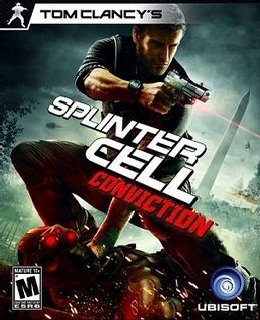
Tom Clancy’s Splinter Cell: Conviction Game – Overview – Free Download – PC – Specs – Screenshots – Free
Type of game: Puzzle
PC Release Date: April 13, 2010
Developer/Publishers: Ubisoft Montreal, Ubisoft
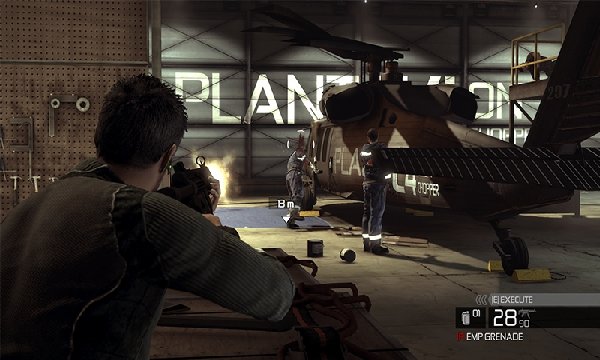
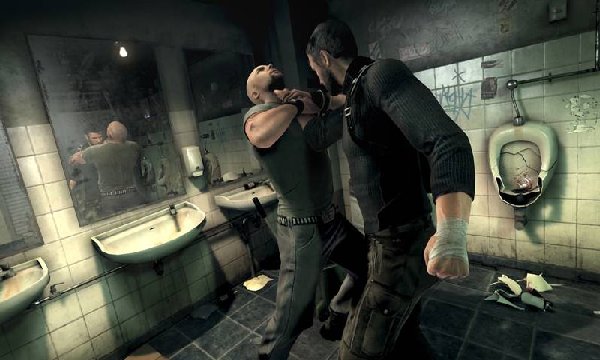
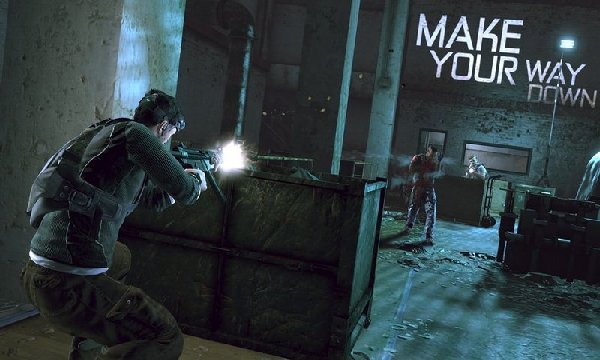
Tom Clancy’s Splinter Cell: Conviction (5.44 GB) is an Puzzle video game. Developed and published by Ubisoft Montreal, Ubisoft. It was released on April 13, 2010 for Windows. Splinter Cell: Conviction introduces a number of new gameplay features to the Splinter Cell series, one of which is the “Mark & Execute” feature, which allows the player to mark specific targets, such as enemies or objects, and shoot them in rapid succession without manually targeting each one.
Type of game: Puzzle
PC Release Date: April 13, 2010
Developer/Publishers: Ubisoft Montreal, Ubisoft
Tom Clancy’s Splinter Cell: Conviction (5.44 GB) is an Puzzle video game. Developed and published by Ubisoft Montreal, Ubisoft. It was released on April 13, 2010 for Windows. Splinter Cell: Conviction introduces a number of new gameplay features to the Splinter Cell series, one of which is the “Mark & Execute” feature, which allows the player to mark specific targets, such as enemies or objects, and shoot them in rapid succession without manually targeting each one.
Before downloading make sure that your PC meets minimum system requirements.
Minimum System Requirements
- OS: Windows XP/Vista/7
- Processor: Intel Core 2 DUO @ 2.0 GHz / AMD Athlon 64 X2 3800+
- RAM: 1.5 GB
- Hard Drive: 10 GB free
- Video Memory: 256 MB
- Video Card: NVIDIA GeForce 7800 / ATI Radeon X1800
- Sound Card: DirectX Compatible
- DirectX: 9.0c
Screenshots
How to Install?
- Extract the file using Winrar. (Download Winrar)
- Open “Tom Clancy’s Splinter Cell: Conviction” folder, then double click on “Setup” and install it.
- After installation complete, go to the folder where you install the game.
- Open “src” >> “system” Folder, double click on “Conviction_game” to play the game. Done!
How to Download?
If your don’t know how to Download this game, just Click Here!
If your don’t know how to Download this game, just Click Here!
Tom Clancy’s Splinter Cell: Conviction Download
Download in Single Link
Click Here
–
Download in 600MB Parts
Download in Single Link
Click Here
–
Download in 600MB Parts
Are your games really virus free??????
Please update the link of 600mb soon as possible
I’m having a problem while extracting the file it is showing the file is corrupt .
I’m in windows 11.
How to fix it?
The single link downloads exe. file not zip. file. And after I download it and click on it it tells me it can’t run on my pc
Brother, it is an .exe RAR file, so don’t run it directly. Right-click on the file and choose “Extract Here” with WinRAR. If you already have WinRAR installed, the option should be available. If not, download and install WinRAR first, then right-click the file and select “Extract Here.” The game files will be extracted, then install the game and play. ❤️🎮
I’m having a problem while extracting the file it is showing the file data 1 bin is corrupt .
I’m in windows 11.
How to fix it?
Brother It’s a single .exe RAR file, so don’t run or extract it directly through the .exe. Simply right-click the file → WinRAR → Extract Here or Extract to. We checked the file again, and there is no extraction error from our side. Also make sure the file has been downloaded completely without resuming, and check that your antivirus/Windows Security isn’t interfering with the extraction. Then try extracting again. 👍
Salam. I’m having an issue I installed the game and when I tried to open it I got error .can you WhatsApp me. Waiting for your reply text me then I’ll send my WhatsApp number. I really want to play Splinter Cell Conviction ‘ My dream Game.
Wa Alaikum Salam brother, We checked Splinter Cell Conviction again, and it’s working fine from our side. This setup has been tested on Windows 10. Before extracting and installing, check your antivirus/Windows Security and create an exception for the game folder if it blocks any required files. Also make sure the latest Microsoft Visual C++ Redistributable packages are installed.
When you first run the game, it may show System Validation. Just leave it for around 5 minutes and don’t click anywhere, otherwise it may get stuck. If you’re using Windows 10 or 11, also try running the game in Compatibility Mode for Windows 7. 👍
We checked the game again, and this setup is 100% working. Please follow the instructions step by step. Before extracting and installing the game, temporarily disable your antivirus, as it may block or quarantine required DLL files.
01. Extract the file using Winrar. (Choose Extract Here)
02. Open “Tom Clancy’s Splinter Cell: Conviction” folder, then double click on “Setup” and install it.
03. After installation complete, go to the folder where you install the game.
04. Open “src” >> “system” folder, run the game using “Conviction_game.exe” to play. Done!
Note: This setup has been tested on Windows 10. When you first run the game, it may show System Validation. Just leave it for around 5 minutes and don’t click anywhere, otherwise it may get stuck. If you’re using Windows 10 or 11, also try running the game in Compatibility Mode for Windows 7. 👍