
Also Known as: Portal (Video Game), PC Highly Compressed, Free

Minimum System Requirements
- OS: Windows Vista/XP/2000
- CPU: Pentium 4 @ 1.7 GHz Processor
- RAM: 512 MB
- Hard Drive: 3 GB Free
- Video Memory: 32 MB
- Sound Card: DirectX Compatible
- DirectX: 9.0
- Keyboard and Mouse
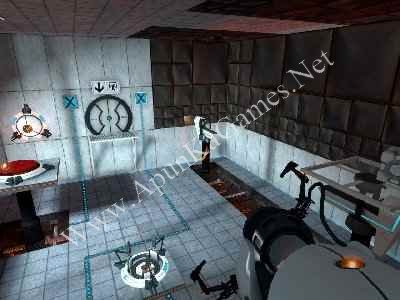
Screenshots


How to Install?
- Extract the file using Winrar. (Download Winrar)
- Open “Portal” folder, double click on “Setup” and install it.
- After installation complete, go to the folder where you install the game.
- Open folder, double click on “Portal” icon to play the game. Done!
How to Download?
If your don’t know how to Download this game, just Click Here!
Portal Game Free Download
Click Here to Download This Game
Game Size: 370 MB
Password: apunkagames

No sound for the game on windows 10, how do I fix it?
Yes brother, you’re right The old version has a sound issue on Windows 10. We’ve updated it with the new Portal (v2025.05.12) setup, which is 1.87 GB. It’s the full game with sound included and is pre-installed. Just download it, extract it, and run the game using Portal Launcher.bat. 👍
Hehehe and when I post u delete my comments.
I’m on windows 8 and would be more interested in a proper working old one ,is there a way to fix it ?
Setup gives folder and .bat pointing error..bat files dont react either.By manually unpacking game is working but there is no sound which is present by files some compressed maybe?
Any way to fix the old one ?
Brother, we’re not intentionally deleting your comments. We understand your concern and appreciate you sharing the issue with us. we understand you want the older Portal version for Windows 8. Please try the new setup first, as it’s working fine on our end. We’ll check the older version and see if there’s a way to fix the .bat error and missing sound.