

Mad Max Game – Overview – Free Download – PC – Compressed – Specs – Screenshots – Free
Type of game: Action, Adventure
PC Release Date: September 1, 2015
Developer/Publishers: Avalanche Studios, Warner Bros. Interactive Entertainment
Mad Max (32.5 GB) is an action-adventure video game. Developed and published by Avalanche Studios, Warner Bros. Interactive Entertainment. It was released on September 1, 2015 for Windows. Mad Max is an action-adventure game set in an open world post-apocalyptic environment, emphasizing vehicular combat, in which the player is the eponymous Mad Max (Bren Foster). According to its publisher, up to 60 percent of the game focuses on driving.
Before downloading make sure that your PC meets minimum system requirements.
Minimum System Requirements
- OS: Windows Vista 64-bit
- Processor: Intel Core i5-650 3.2 GHz or AMD Phenom II X4 965 3.4 GHz
- RAM: 2 GB
- Hard Drive: 4 GB available space
- Video Card: Nvidia GeForce GTX 660 Ti 2GB or AMD Radeon HD 7870 2GB
- DirectX: DirectX 11
Screenshots
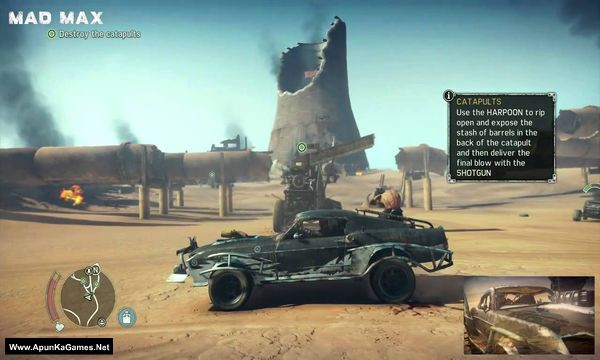
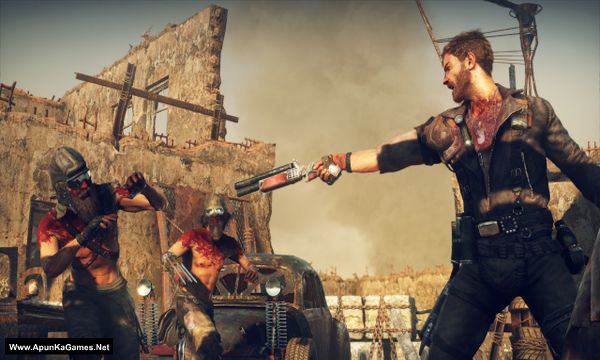
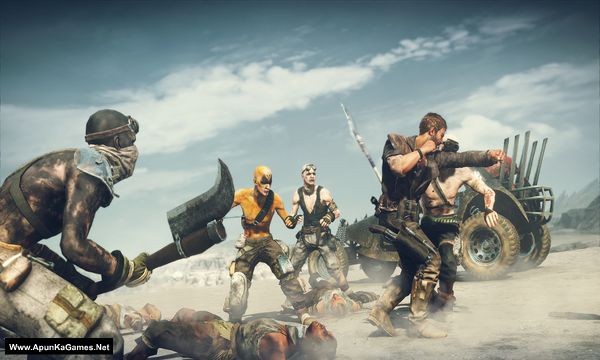
How to Install?
- Extract the file using Winrar. (Download Winrar)
- Open “Mad Max” folder, double click on “Setup” and install it.
- After installation complete, go to the folder where you extract the game.
- Open “Crack” folder, copy all files and paste it where you install the game.
- Then double click on “MadMax” icon to play the game. Done!
How to Download?
If your don’t know how to Download this game, just Click Here!
Game Size: 32.5 GB
Password: www.apunkagames.net or apunkagames

mad max game stuck on loading screen
reinstall with antivirus off.
pora extract kar liya he lekin is me tu kahi crack folder nahi he install ke bad crack dalna hoga tu kaha se milega ab
Brother, this is the official GOG setup, so no crack is required. Just install the game and play!
bro please i turn off antivirus but it crack after loading, can you help, i realy want to play it, love you from vietnam
Part one not available 5gb
Bro i hav instal this game but it says 3dmgame.dll missing in your computer
Plz tell the solution
Bro plz install video mad max
is it still available for today to downlaod and install ?
Hello apunkagames I want to download mad Max in single file but the say file locker expired same at 900mb parts please can you fix this problem
All parts are working fine… you just need to download all parts one by one. wait 1st part to finish then start 2nd download. At one time 1 part. Thefilelocker can’t support multiple download so you have to download one by one!
I still don’t understand why some people complain about crashing games and missing files or unavailable links. I have been downloading countless games from this website for about 2 years now since my friend introduced me NO ERRORS, I download install and play just fine. so, I decided to speak out today because their complains puzzles me sometimes. MUCH LOVE TO APUNKAGAMES FROM NIGERIA
Really appreciate you sharing your experience ❤️ It’s great to hear everything has been working smoothly for you for so long. You’re right—different setups can give very different results, even with the same files. Thanks for the support and much love right back to you from the community 🎮🙏
Hello are you from Nigeria
Apunkagames is the best site to download games no errors no missing files you are really the best from Ghana
Thank you so much for your support brother ❤️
We’re really happy to hear that you enjoyed our site and had a smooth experience without errors or missing files. Enjoy gaming and keep supporting us!
please update file part 5 in 5gb parts. File 404 NOT FOUND
Links are working fine from our side download one by one to avoid errors. Wait for 1st part to finish then click on 2nd to start download. Thefilelocker can’t support multiple downloads.
Who ever owns this site should be 100years old or over. im downloading games from this webiste till im old😁😁😊.. NO crashes , no issues. But i have on issue.. the download speed is really very slow.. i have 50 mb download speed but this site allows a speed of 5mb average when downloading games.. Kindly increase spead of download please
Haha, brother! 😁 We hope you’ll keep gaming with us for the next 100 years! Thank you so much for your support and kind words. We understand the slow download speed issue, and we’ll look into it. For now, try downloading during the night or early morning when server traffic is lower. 🎮
your download link not working
Temporarily turn off your antivirus, then click the download link to start the download. Please download the parts one by one. If Part 1 is still downloading and you click Part 2, it may show an error. Let the first part finish, then download the next one. Also, close all active IDM downloads and try downloading Part 1 or single link again.
We checked the game again, and this setup is 100% working. Please follow the instructions step by step. Before extracting and installing the game, temporarily disable your antivirus, as it may block or quarantine required DLL files. Also, make sure the latest Microsoft Visual C++ Redistributable packages are installed.
Download all parts and paste them into one new folder.
01. Extract the file using Winrar part 1 and automatically all parts will extracted.
02. Open “Mad Max” folder, run the “setup.exe” and continue the installation.
03. After installation complete, go to the folder where you install the game.
04. Then launch using the “MadMax.exe” to play the game. Done!
Note: This is the official GOG setup of Mad Max, version v1.0.3.0, and it has been tested on Windows 10.
All things work perfect but my movements are in slow motion. Only my character other scenes and characters all are fine. Is there any way to fix this.