
The Sims 4 Game – Overview – Free Download – PC – Compressed – Specs – Screenshots – Free
Type of game: Simulation
PC Release Date: September 2, 2014
Developer/Publishers: Maxis,Electronic Arts
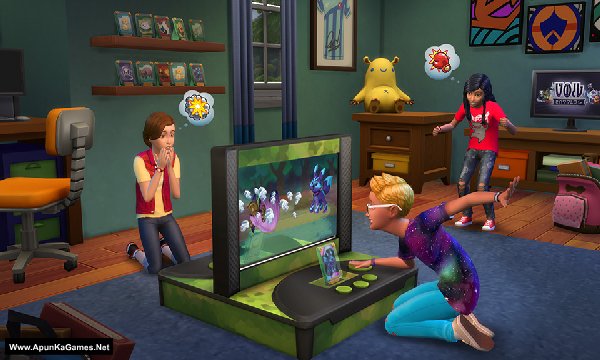
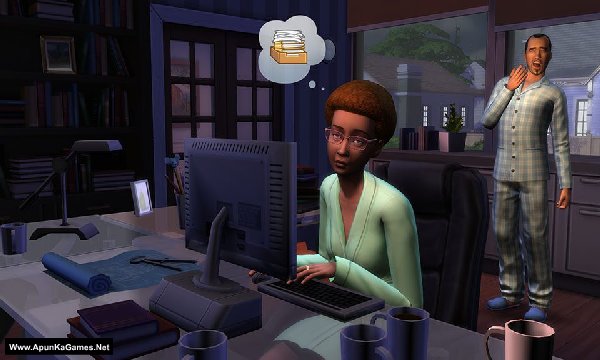
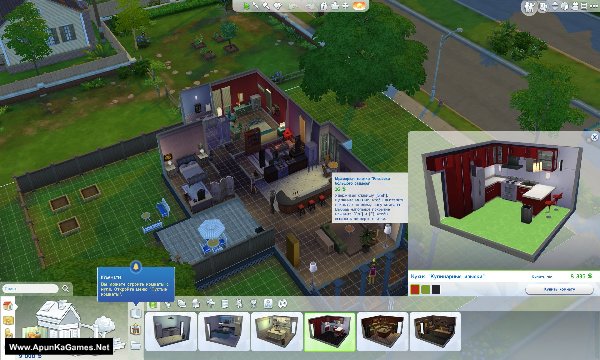
The Sims 4 (6.41 GB) is a simulation video game. Developed and published by Maxis,Electronic Arts. It was released on September 2, 2014 for Windows. The Sims 4 is a life simulation game, similar to its predecessors. Players create a Sim character and control their life to explore different personalities which change the way the game plays out. Sims can multitask such as talk while doing a task. Sims’ moodlets also change the gameplay. For example, a Sim can do a task while being either angry or totally excited.
Type of game: Simulation
PC Release Date: September 2, 2014
Developer/Publishers: Maxis,Electronic Arts
The Sims 4 (6.41 GB) is a simulation video game. Developed and published by Maxis,Electronic Arts. It was released on September 2, 2014 for Windows. The Sims 4 is a life simulation game, similar to its predecessors. Players create a Sim character and control their life to explore different personalities which change the way the game plays out. Sims can multitask such as talk while doing a task. Sims’ moodlets also change the gameplay. For example, a Sim can do a task while being either angry or totally excited.
Before downloading make sure that your PC meets minimum system requirements.
Minimum System Requirements
- OS: Windows XP/Vista/7/8
- Processor: Intel Core 2 Duo E4300 or AMD Athlon 64 X2 4000+
- RAM: 2 GB
- Hard Drive: 10 GB available space
- Video Card: 128 MB, NVIDIA GeForce 6600 or ATI Radeon X1300 or Intel GMA X4500
- DirectX: Version 9.0c
Screenshots
How to Install?
- Extract the file using Winrar. (Download Winrar)
- Open “The Sims 4” folder, double click on “Setup” and install it.
- After installation complete, go to the folder where you install the game.
- Open “Game” >> “Bin” folder, double click on “TS4” icon to play the game. Done!
How to Download?
If your don’t know how to Download this game, just Click Here!
If your don’t know how to Download this game, just Click Here!
is this the full version? Please answer
yes
are there any drawbacks?
What version this??
Is this latest version? Or old version?
Why is the download so slow? i have like 20Mb/s internet
did this work for any one
File is not available?
thanks for reporting we will soon upload
Thanks for response please upload 3.5 gb part
File not extracted
Is this the latest version? if not please tell me what version this is on.
When I downloaded it the game wasn’t the full one because it was supposed to have toddlers and family tree but it gas to have it for it to be a complete game.
Can I add mods in this game
Yes, you can
Yo just wanted to tell you that on parts download page, Part 8 and 9 links are exchanged
Are all the part working
This is the version 1.0 😭😭 can you please update it this version doesn’t have all the new fun stuff. Thank you
Ok we will update The Sims 4wth all DLCs soon as we can!
Thank you I’ll be waiting ✨
Hey so … When are you going to update it? You said soon last month
Soon in this week + All DLCs! File is too big around 74 GB + Updates.
the game can’t stars only blink and close
Brother, if The Sims 4 only blinks for a moment and then closes without showing any error, please send us your PC specs — CPU, GPU, RAM, and Windows version.
Also, let us know if you installed the required DirectX and Visual C++ Redistributables.
We checked the game again, and this setup is 100% working. Please follow the instructions step by step. Before extracting and installing the game, temporarily disable your antivirus, as it may block or quarantine required DLL files.
Download all parts and paste them into one new folder.
01. Extract the file using Winrar part 1 and automatically 2nd part will extracted.
02. Open “The Sims 4” folder, double click on “Setup” and install it.
03. After installation complete, go to the folder where you install the game.
04. Open “Game” >> “Bin” folder, double click on “TS4.exe” to play the game. Done!
Note: This setup has been tested on Windows 10. Also, make sure the latest Microsoft Visual C++ Redistributable packages are installed and anti-virus off before extraction and installation.